Credentials
Authentication
The API requests support two types of authentication: API Token and API Certificate. It is recommended to use API certificates as they offer more robust security via Mutual TLS (mTLS) authentication. The API tokens are used with one-way TLS authentication.
Tenant Certificate
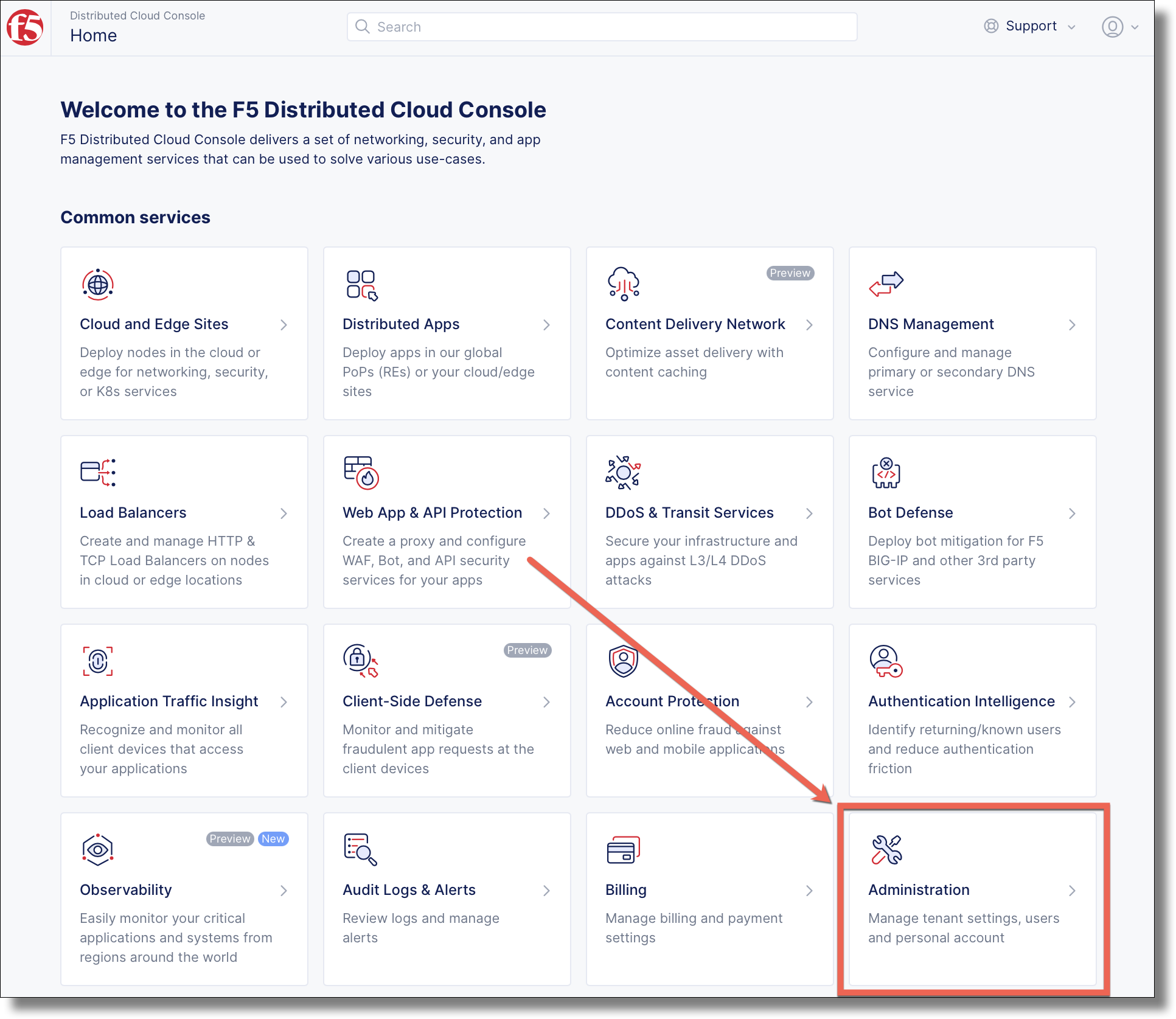
Select the Administration tile on the F5 Distributed Cloud Services home page.
Click and click Add Credentials
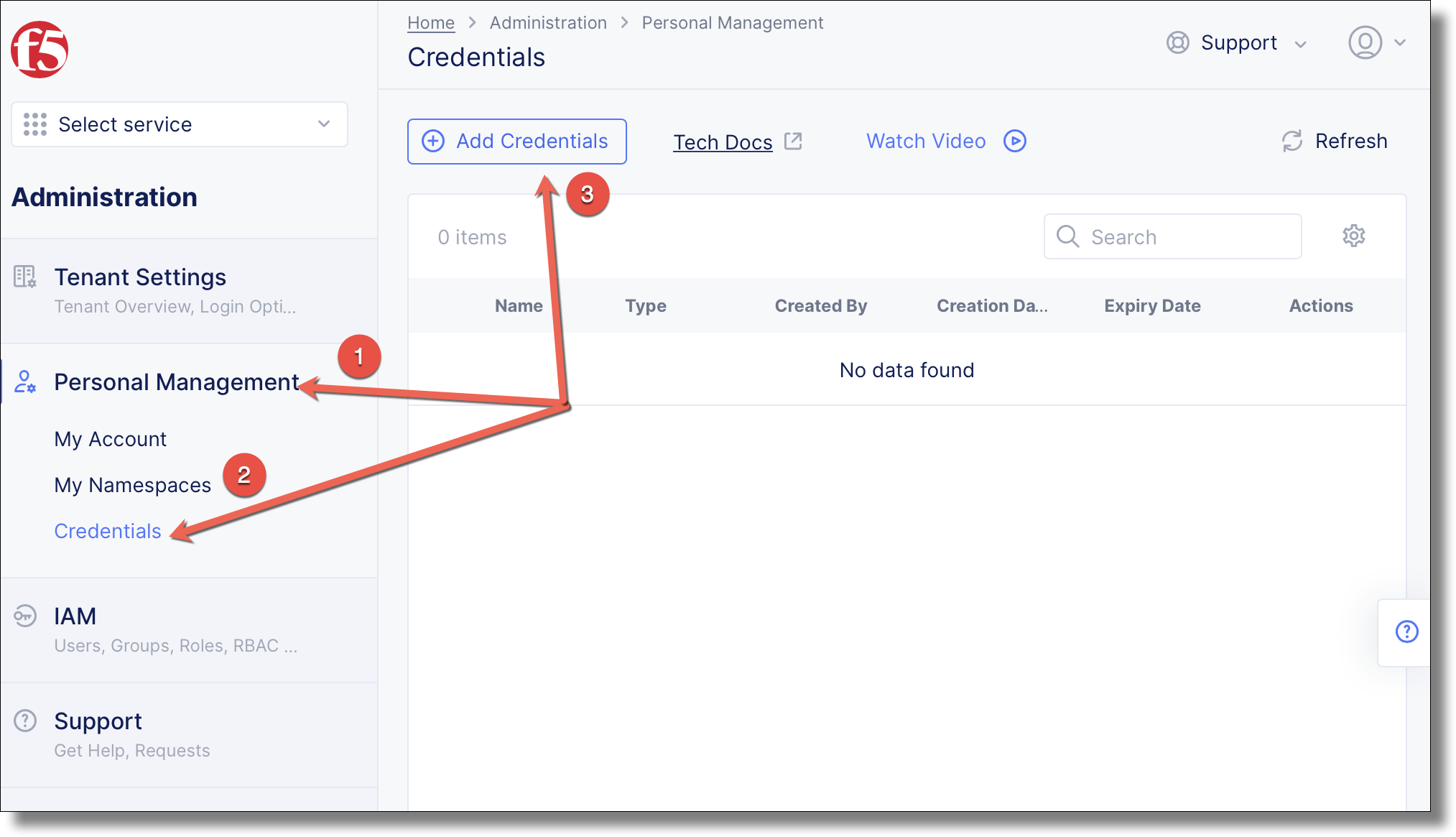
Name your credentials

Move the cert to workstation
Upload cert to workstation$ scp -P 22 f5-amer-ent.console.ves.volterra.io.api-creds.p12 ubuntu@<workstation-hostname>:~/
Choose to either remove the cert/key passphrase, or set a password environment variable for the cert file
Create cert$ openssl pkcs12 -in ~/f5-amer-ent.console.ves.volterra.io.api-creds.p12 -nodes -nokeys -out ~/vescred.cert Enter Import Password:
Create key$ openssl pkcs12 -in ~/f5-amer-ent.console.ves.volterra.io.api-creds.p12 -nodes -nocerts -out ~/vesprivate.key Enter Import Password:
Create ~/.vesconfig$ cat <<EOF > ~/.vesconfig $ server-urls: https://f5-amer-ent.console.ves.volterra.io/api $ key: $HOME/vesprivate.key $ cert: $HOME/vescred.cert $ EOF
Enter the cert password and press <enter-key>$ read -s VES_P12_PASSWORD
export the password environment variable$ export VES_P12_PASSWORD
Create ~/.vesconfig$ cat <<EOF > ~/.vesconfig $ server-urls: https://f5-amer-ent.console.ves.volterra.io/api $ p12-bundle: /home/ubuntu/f5-amer-ent.console.ves.volterra.io.api-creds.p12 $ EOF
Github Account
Initialize github authentication - get a personal access token from a github account
$ gh auth login
? What account do you want to log into?  [Use arrows to move, type to filter]
> GitHub.com
  GitHub Enterprise Server
? What is your preferred protocol for Git operations?  [Use arrows to move, type to filter]
> HTTPS
  SSH
? Authenticate Git with your GitHub credentials? Yes
? How would you like to authenticate GitHub CLI?  [Use arrows to move, type to filter]
  Login with a web browser
> Paste an authentication token
  Tip: you can generate a Personal Access Token here https://github.com/settings/tokens
  The minimum required scopes are 'repo', 'read:org', 'workflow'.
? Paste your authentication token: ***************************************
- gh config set -h github.com git_protocol https
✓ Configured git protocol
✓ Logged in as <your-github-account>