Accept Registration
In , navigate to and click
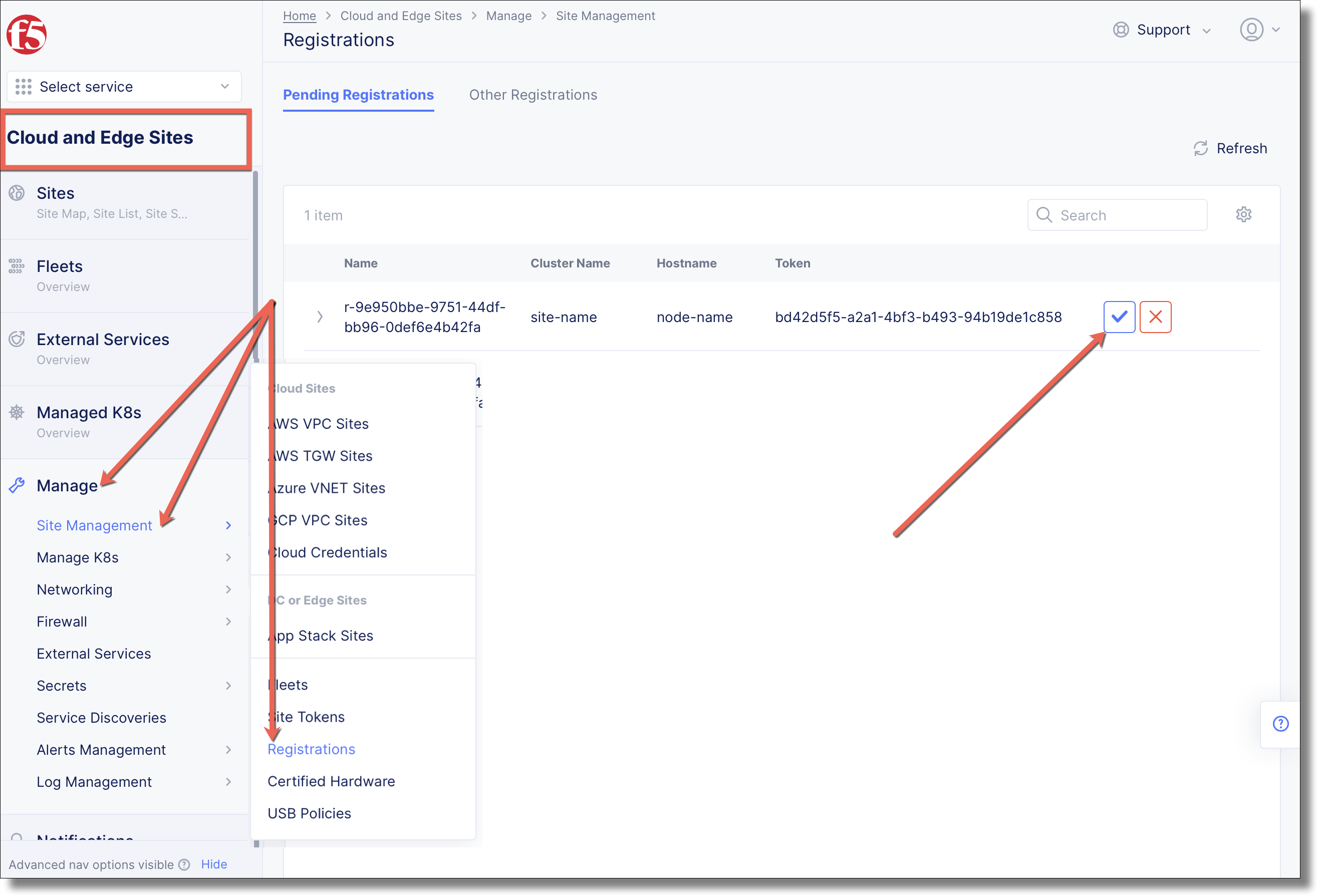
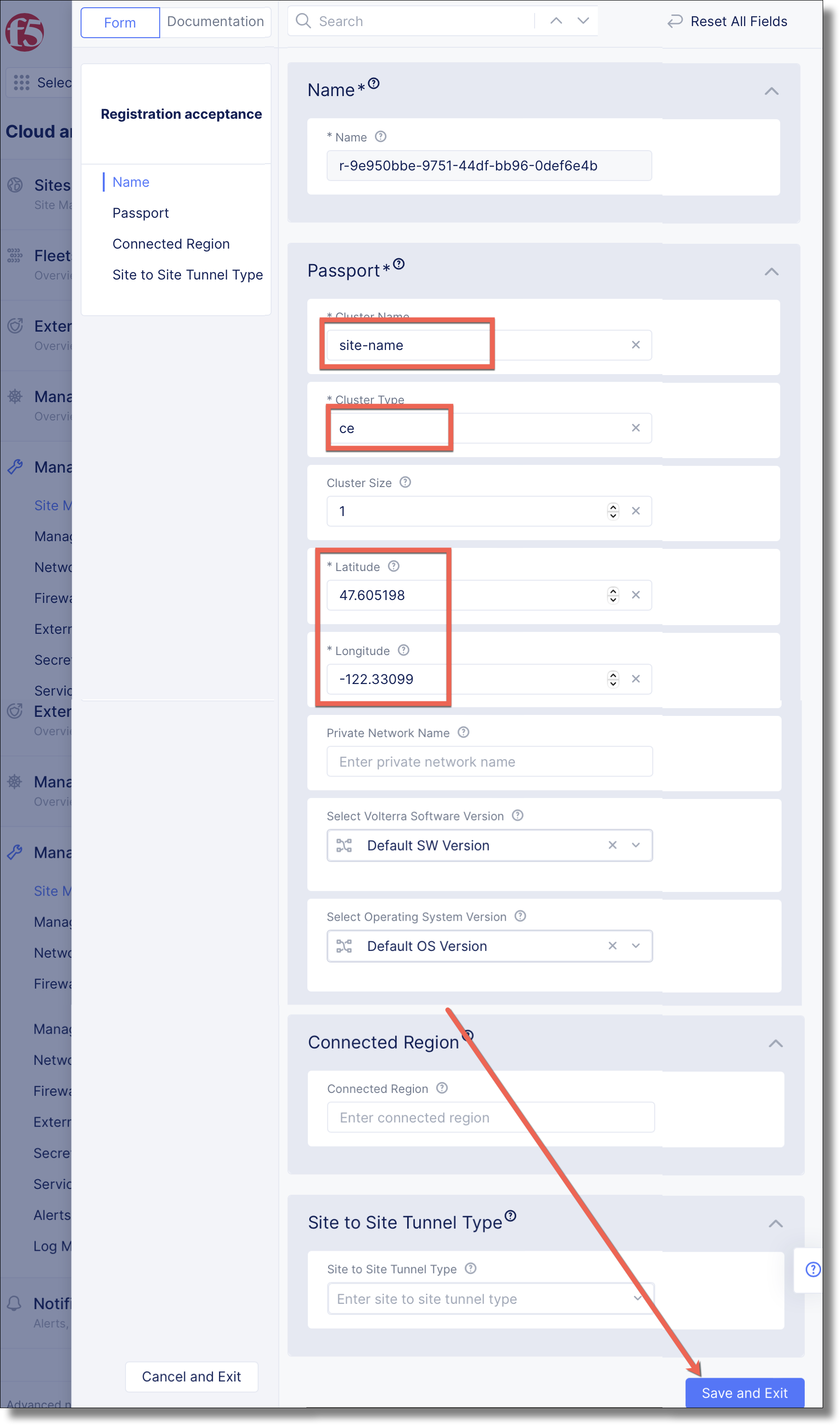
Review that all fields are populated, an click Save and Exit
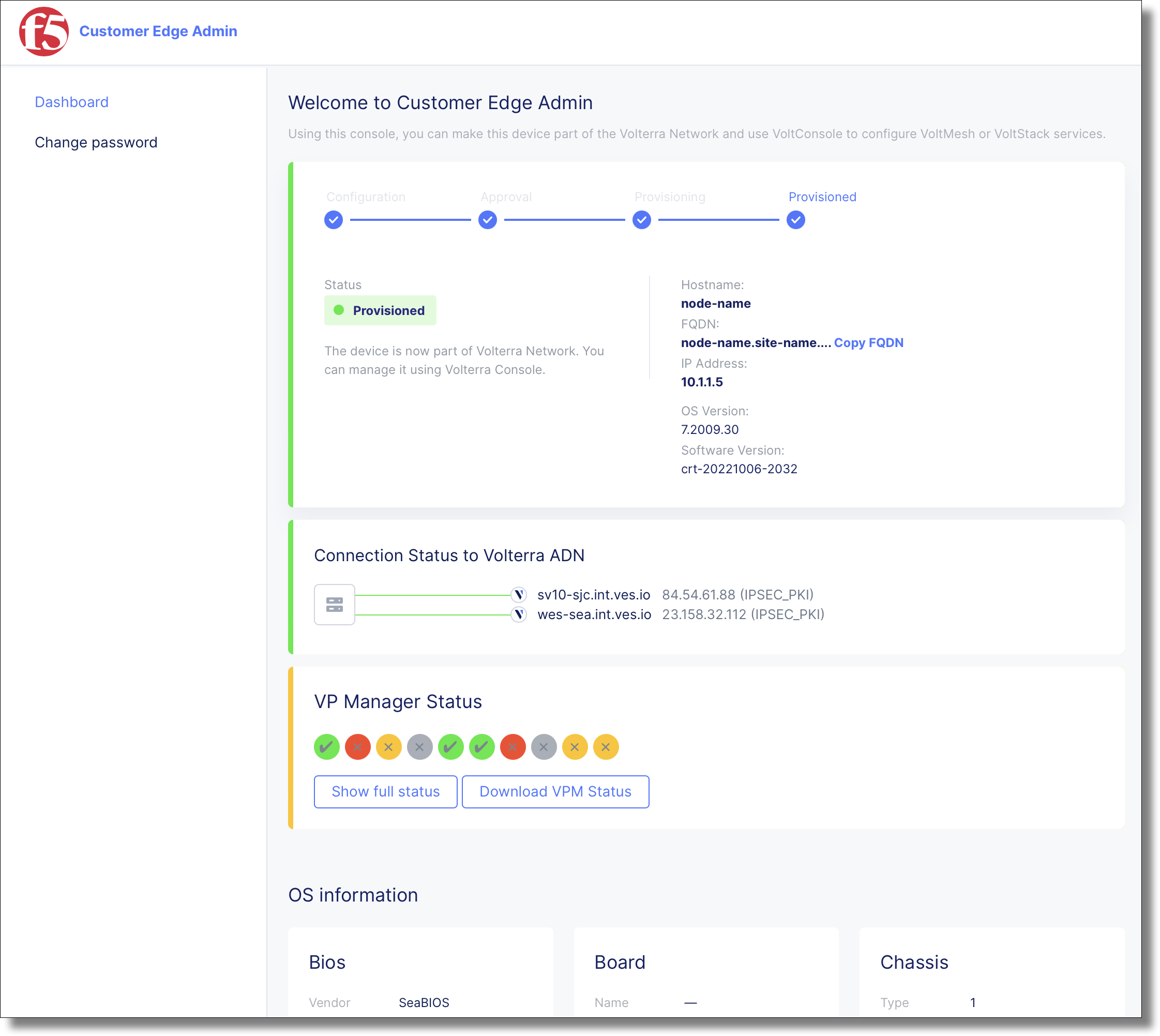
In , navigate to . The site transitions to a Provisioning state for ~20 minutes. Go get a and resume when the site is online.

After ~20 minutes the Customer Edge Admin console reports Provisioned
View the registrions using vesctl
$ vesctl configuration get registration -n system
+-----------+----------------------------------------+------------------------------------+
| NAMESPACE |                  NAME                  |               LABELS               |
+-----------+----------------------------------------+------------------------------------+
| system    | r-616f9b3b-6fdc-4bc4-b979-ccecee7a61ec | map[domain:                        |
|           |                                        | host-os-version:centos-7-2009-30   |
|           |                                        | hw-model:standard-pc-q35-ich9-2009 |
|           |                                        | hw-serial-number: hw-vendor:qemu   |
|           |                                        | hw-version:pc-q35-3-1              |
|           |                                        | ves.io/provider:ves-io-UNKNOWN]    |
+-----------+----------------------------------------+------------------------------------+
Get just the registration name value using vesctl
$ vesctl configuration list registration -n system --outfmt json | jq '.items' | jq -r '.[0].name'
r-616f9b3b-6fdc-4bc4-b979-ccecee7a61ec
Accept the registration using the name field in the request. Go get a and resume when the site is online.
$ vesctl request rpc registration.CustomAPI.RegistrationApprove -i approval_req.json --uri /public/namespaces/system/registration/r-616f9b3b-6fdc-4bc4-b979-ccecee7a61ec/approve --http-method POSTAfter ~20 minutes the site reports ONLINE
$ vesctl configuration get site site-name -n system --outfmt json | jq -r ".spec.site_state"
ONLINE