Site Tokens
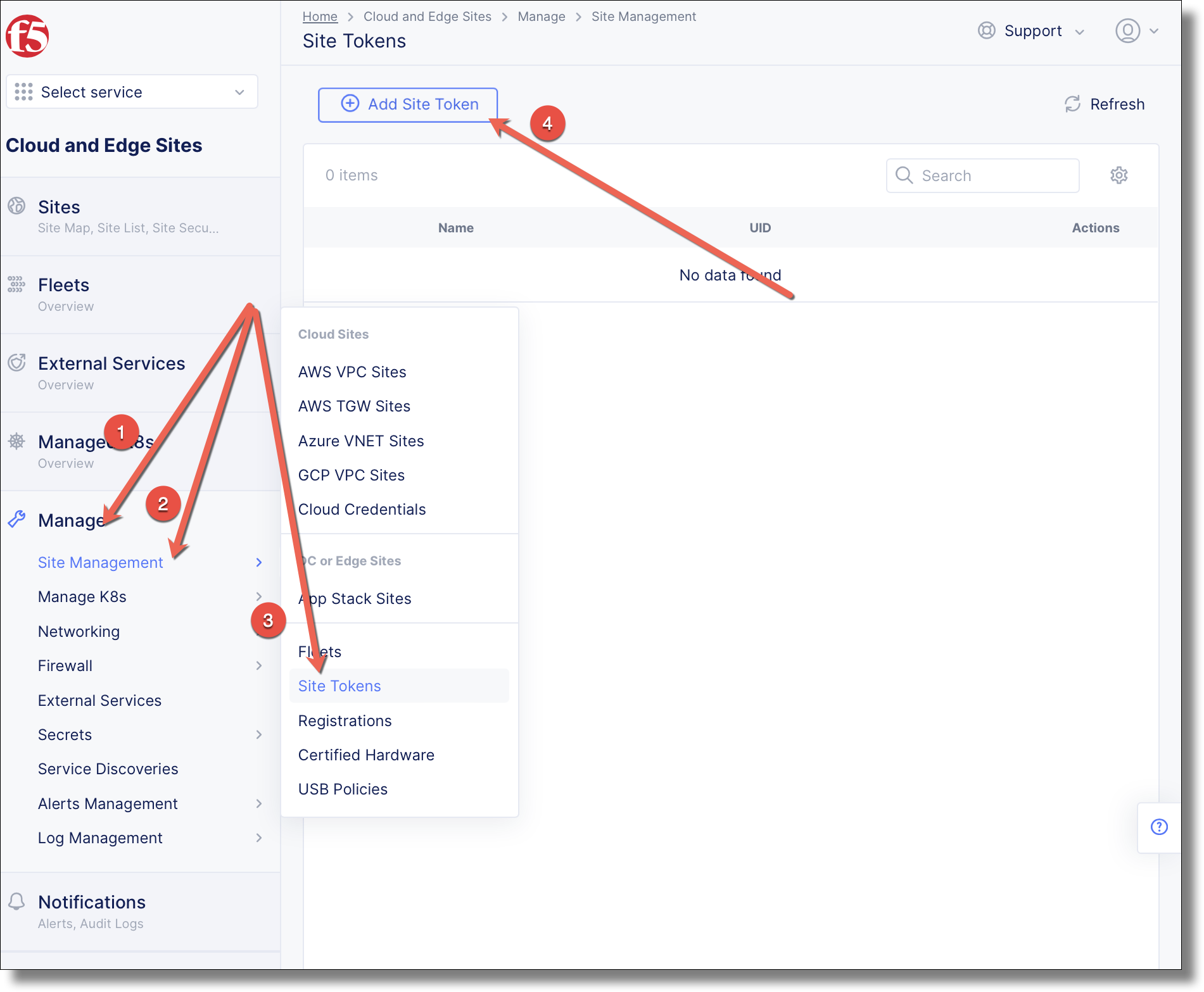
Navigate to and click Add K8s Cluster
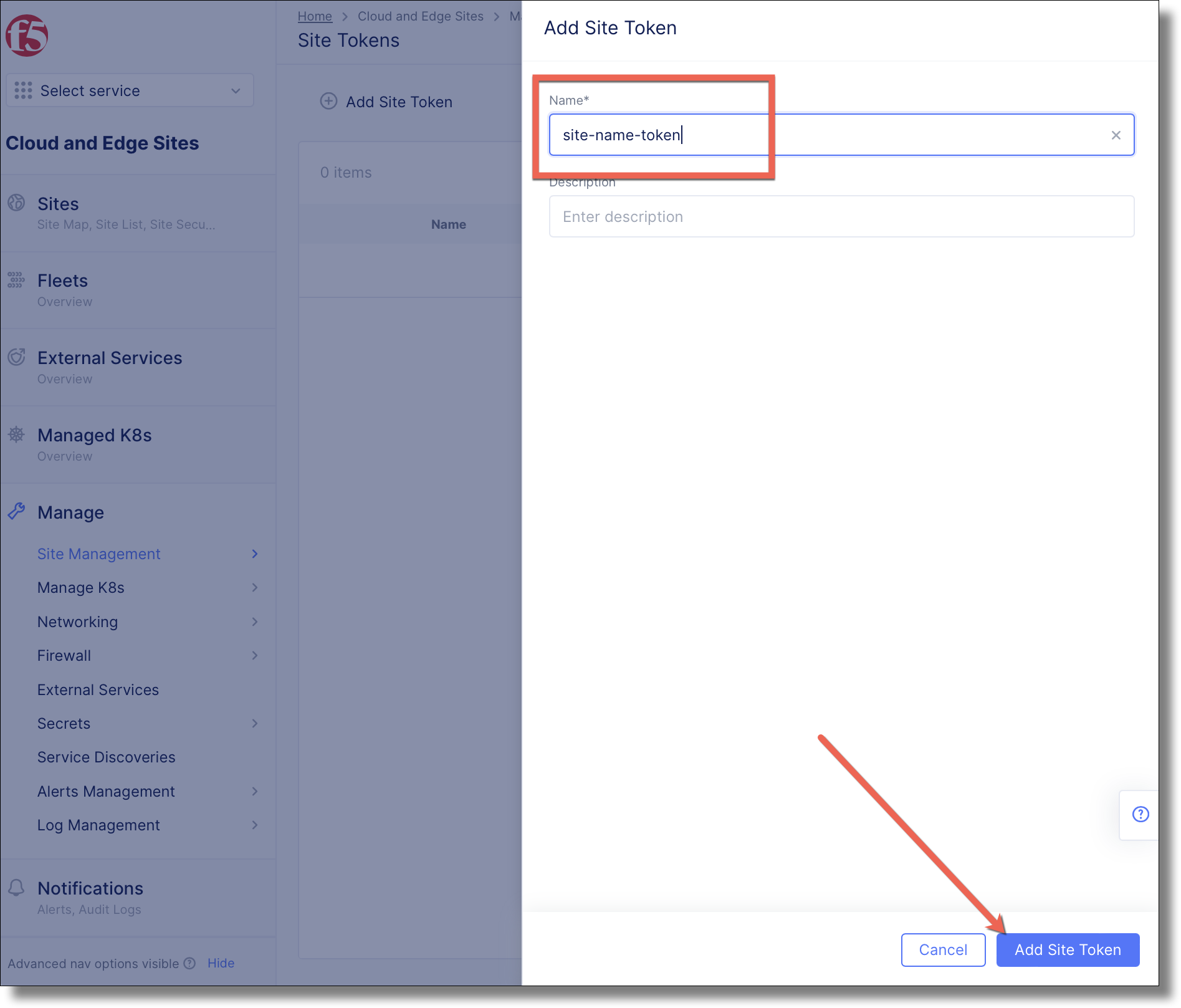
Name the token, and click Add Site Token
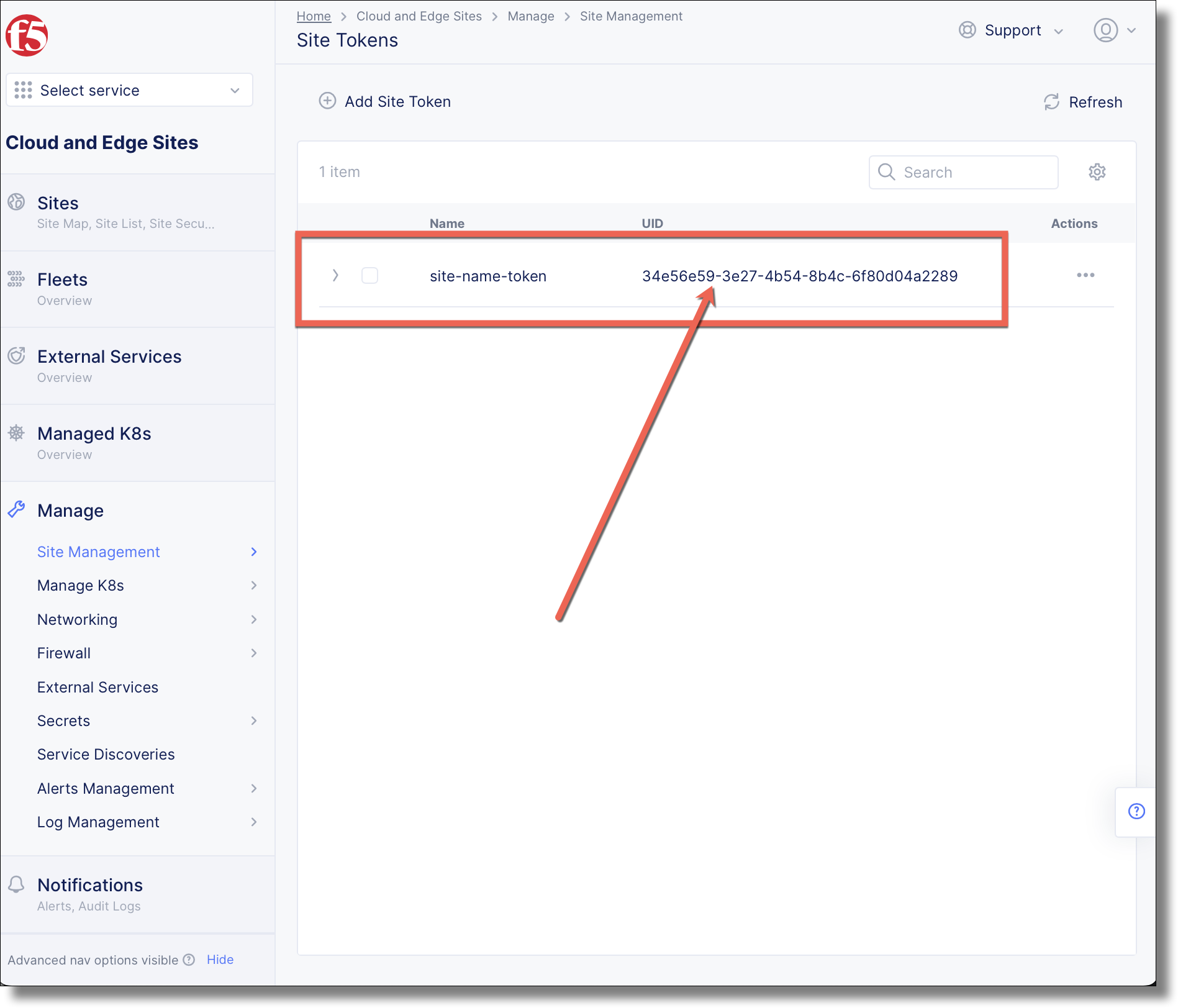
The site token appears with the field, copy this value for registering the CE node.
Replace highlighted values in token.json
{
  "metadata": {
    "name": "<site-name>-token",
    "namespace": "system"
  },
  "spec": {}
}
$ vesctl configuration apply token -i token.json
Created
vesctl command output
metadata:
  annotations: {}
  description: ""
  disable: false
  labels: {}
  name: <site-name>-token
  namespace: system
spec:
  state: VALID
system_metadata:
  creation_timestamp: "2022-10-08T02:18:57.753819583Z"
  creator_class: prism
  creator_id: email@example.com
  deletion_timestamp: null
  finalizers: []
  initializers: null
  labels: {}
  modification_timestamp: null
  object_index: 0
  owner_view: null
  tenant: <tenant>
  uid: bd42d5f5-a2a1-4bf3-b493-94b19de1c858
$ vesctl configuration list token -n system
+-----------+---------------------+--------+
| NAMESPACE |        NAME         | LABELS |
+-----------+---------------------+--------+
| system    | site-name-token     | <None> |
+-----------+---------------------+--------+
The site token appears with the UID field, copy this value for registering the CE node in subsequent steps
$ vesctl configuration get token site-token --outfmt json -n system | jq -r ".system_metadata.uid"
be4204f5-a2a1-4bf3-b493-86753091c858