Managed K8s
Create K8s Cluster
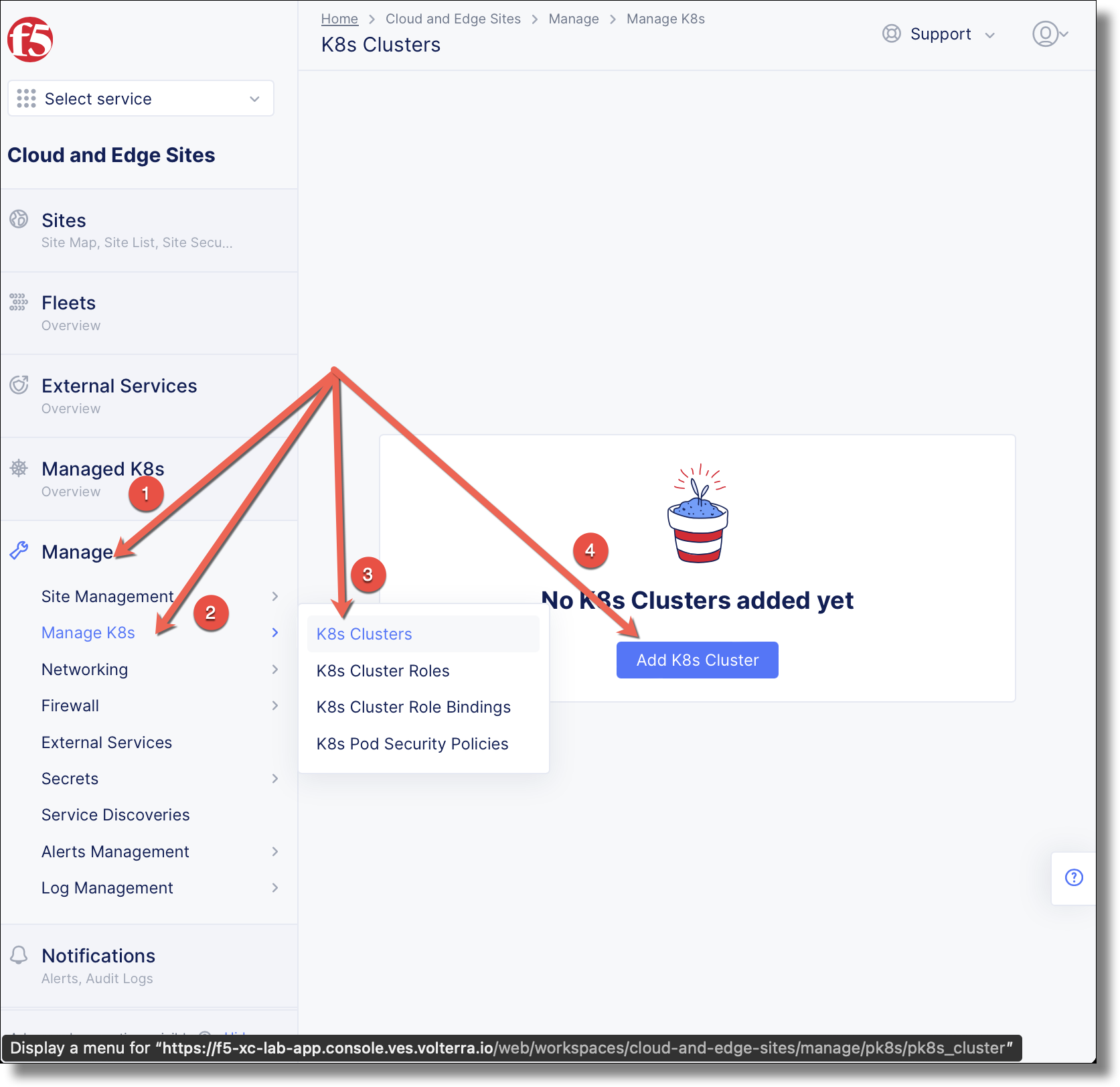
Enabling a managed K8s cluster on a Customer Edge instance requires to first create the K8s Cluster object and then apply it during a site creation. It is possible to create a newly managed K8s cluster as part of a site creation process. This lab demonstates creating a K8s cluster before site creation.
Navigate to and click Add K8s Cluster
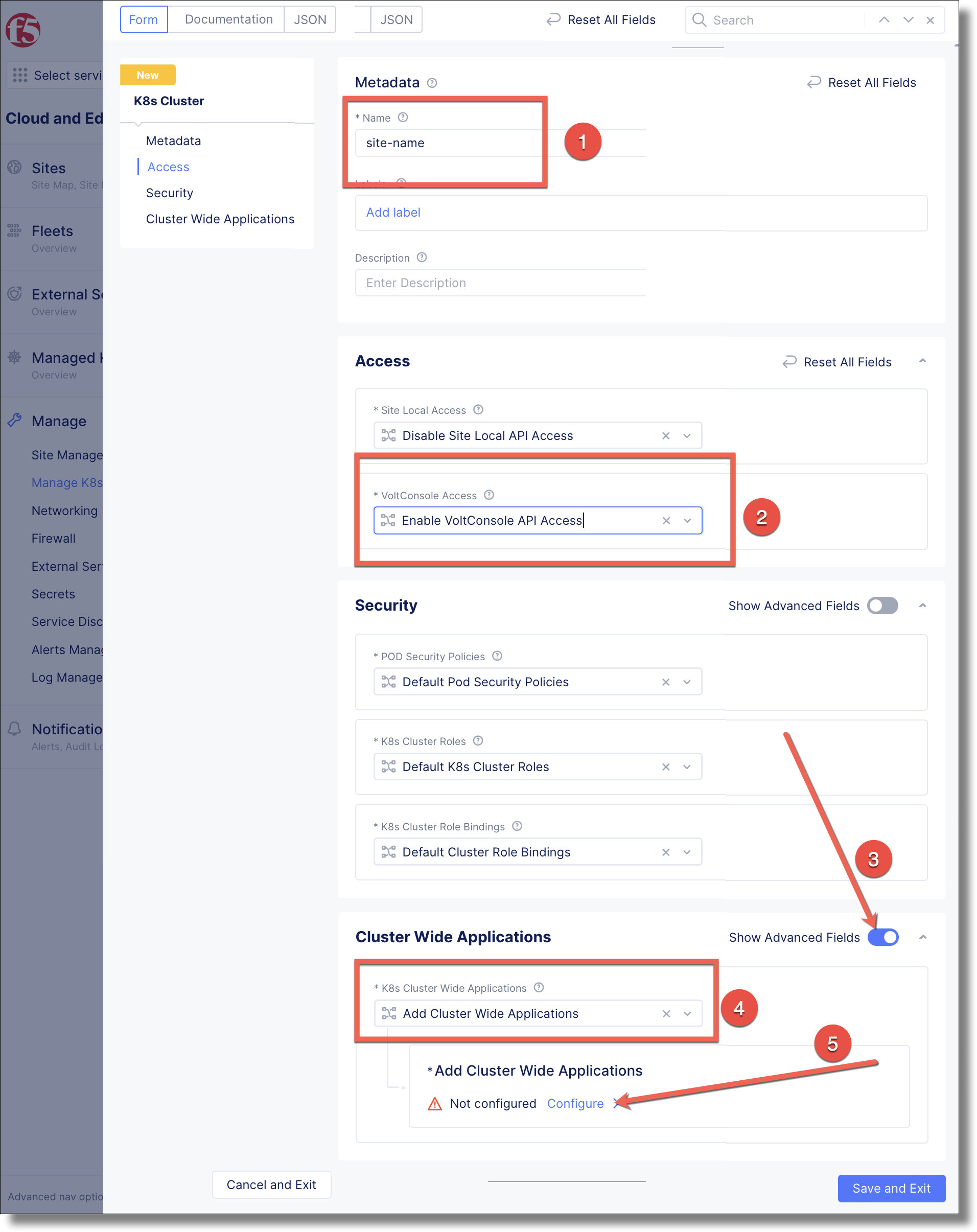
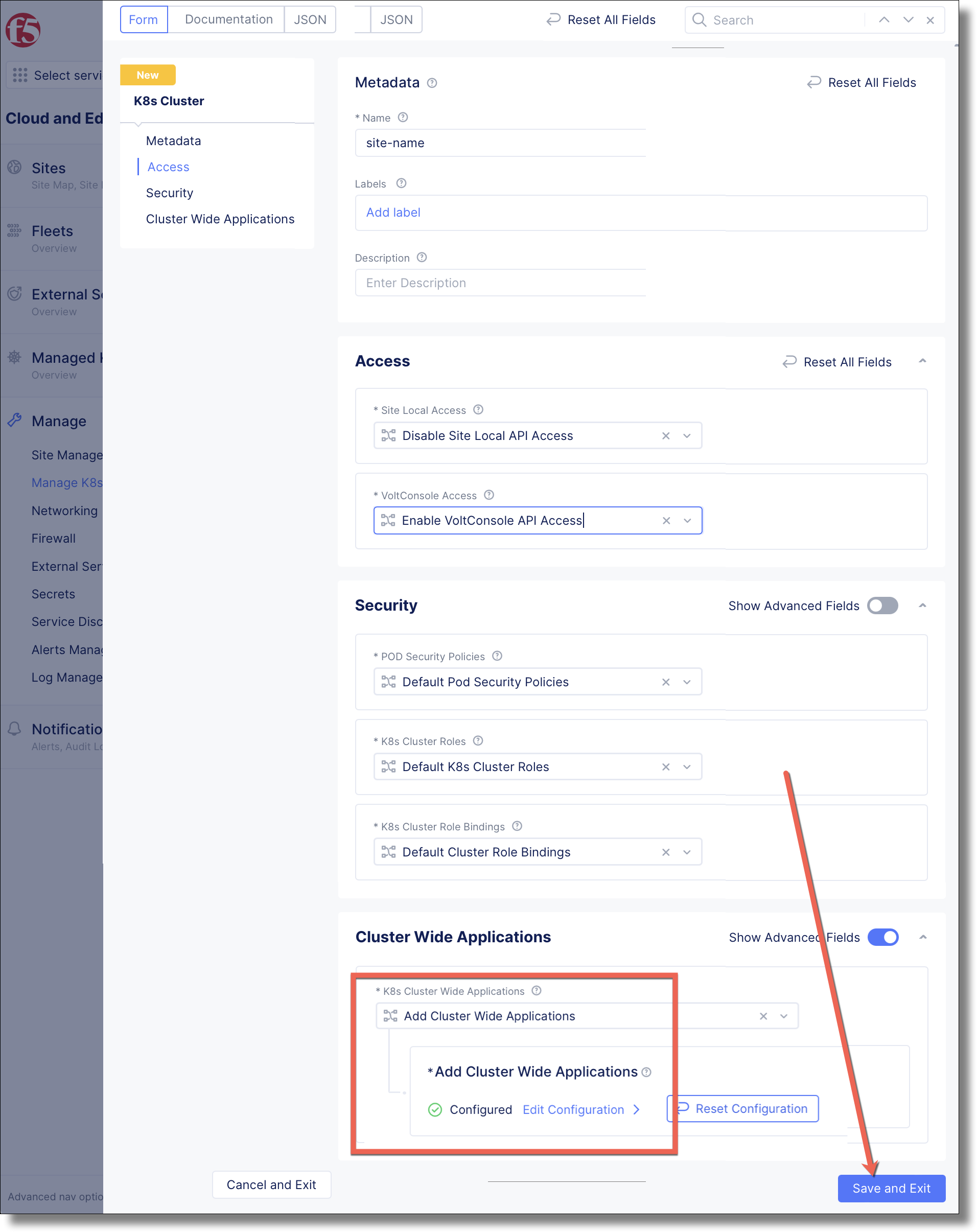
Fill in the form using the following values.
: Provide a unique name.
: select Enable VoltConsole API Access.
: enable Show Advanced Fields
: select Add Cluster Wide Applications
click Configure >
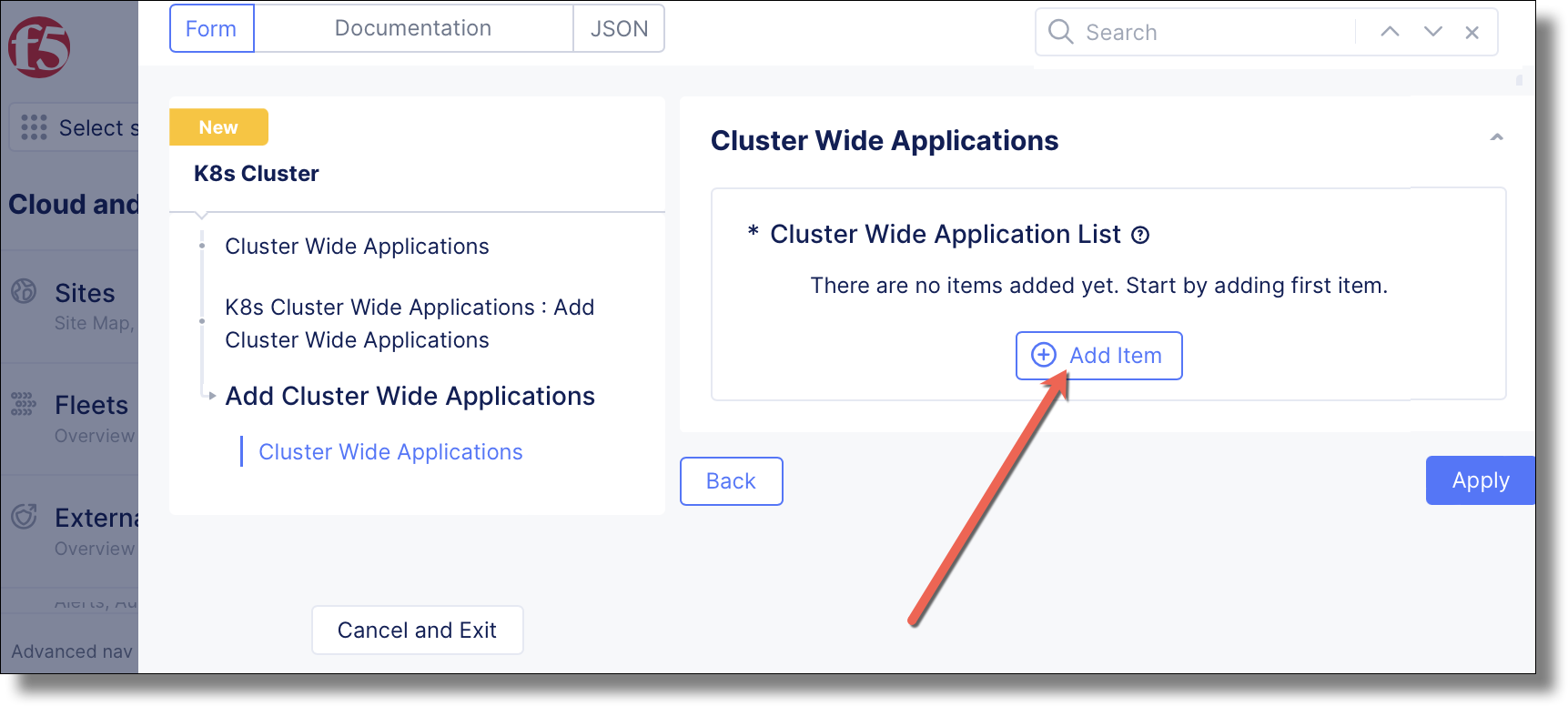
Click Add Item
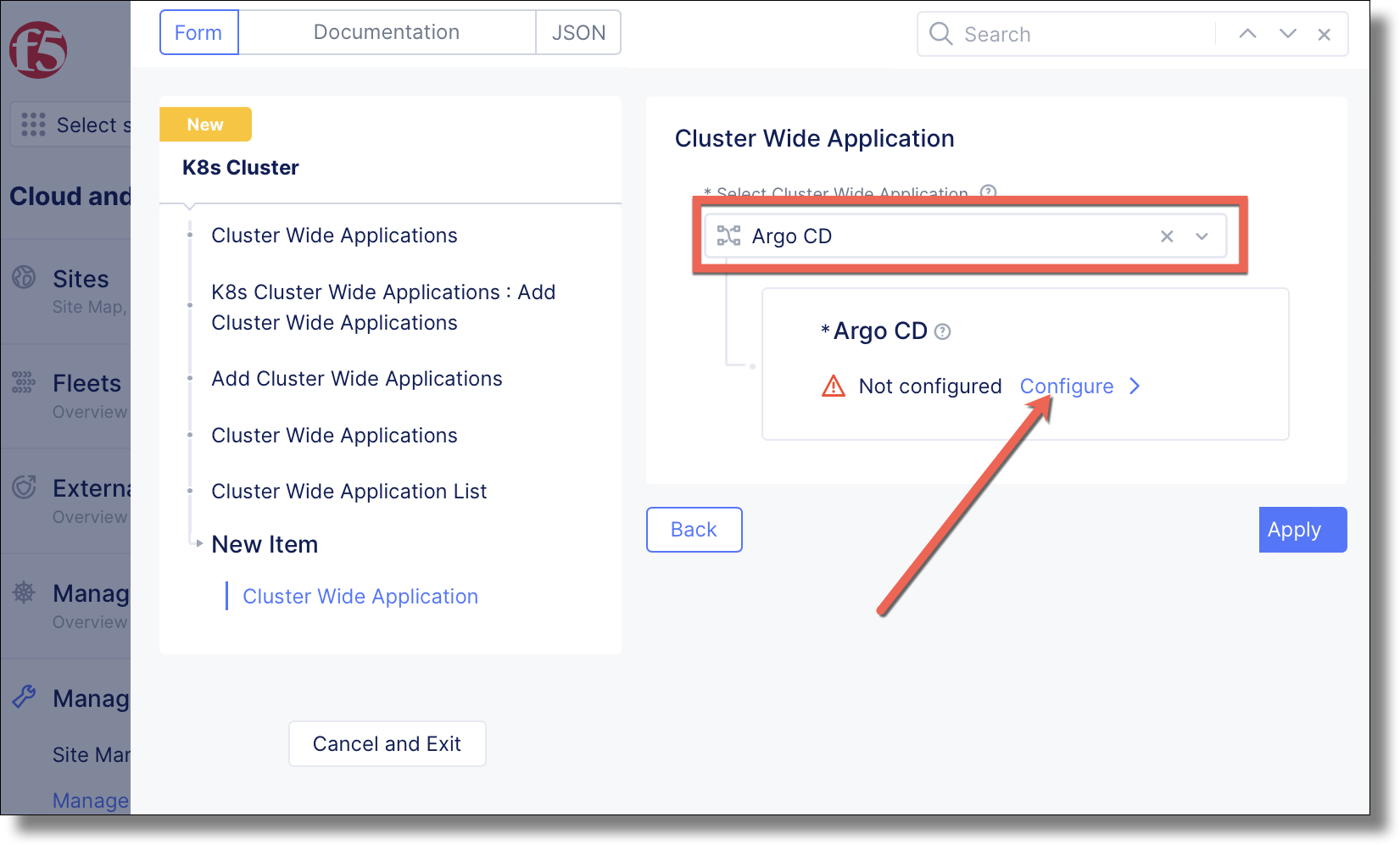
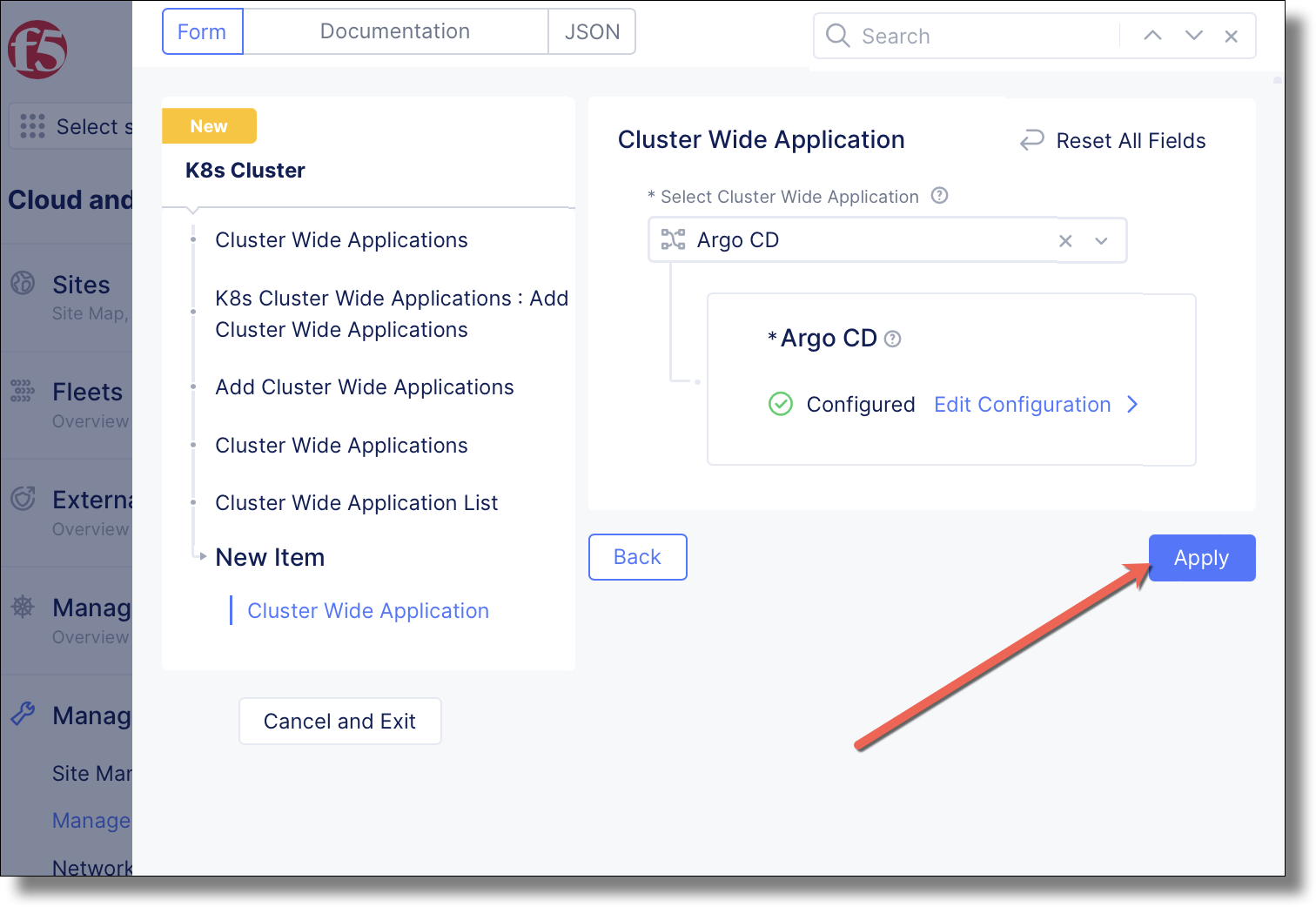
Select Argo CD and click Configure >
Set to localdomain.local and click Configure >
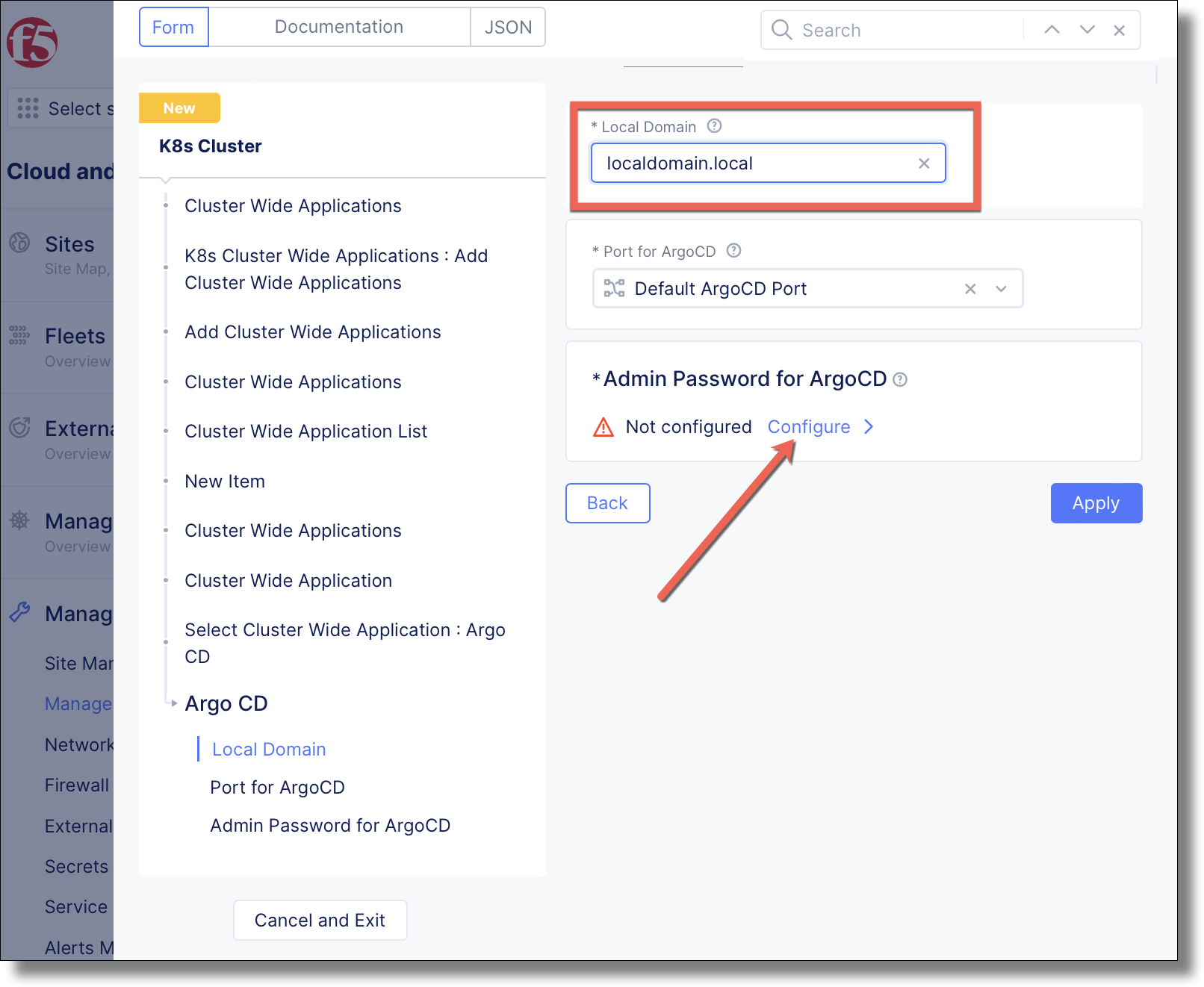
Type a unique password and click Blindfold
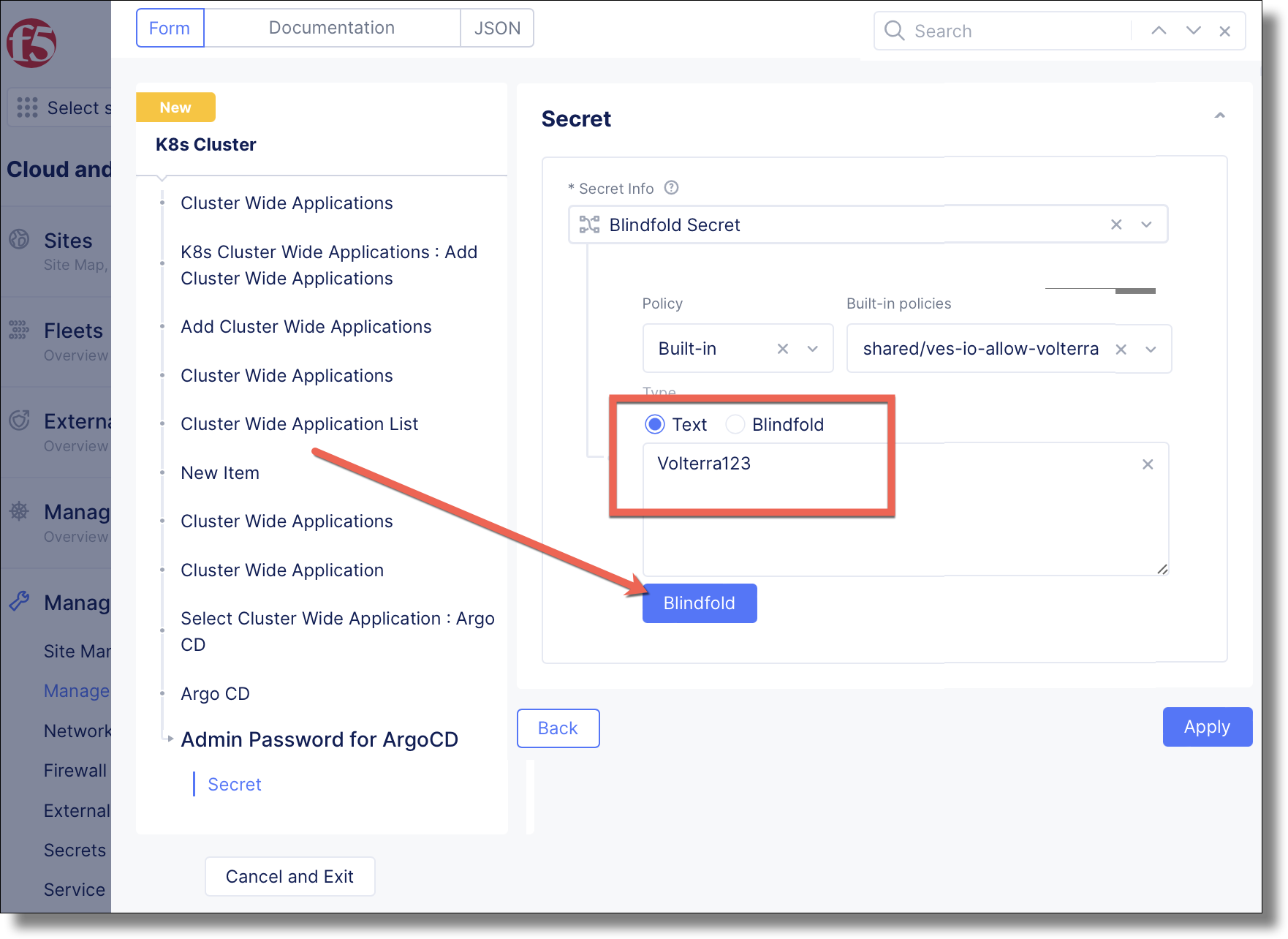
Click Apply
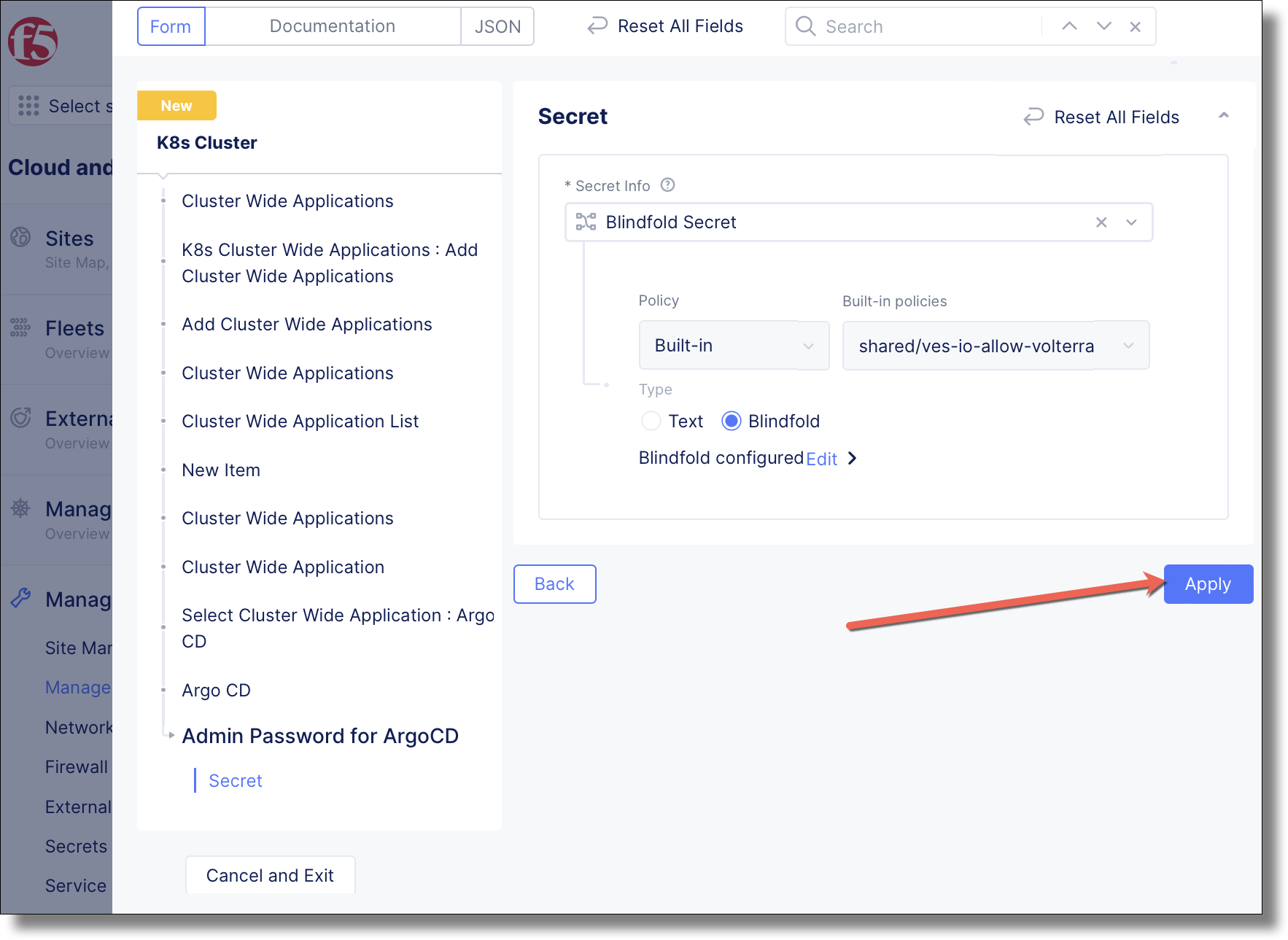
Click Apply
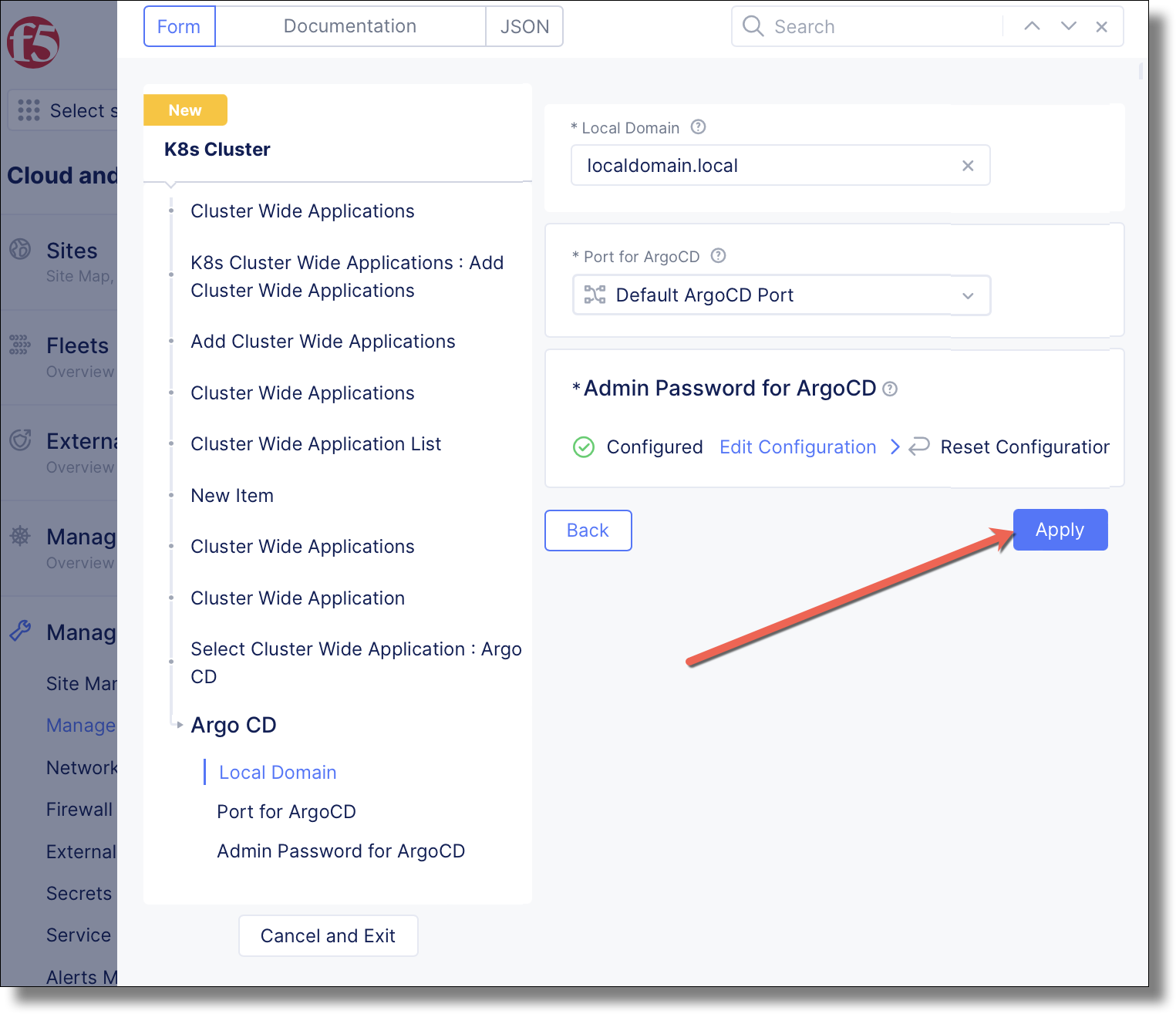
Click Apply
Click Save and Exit
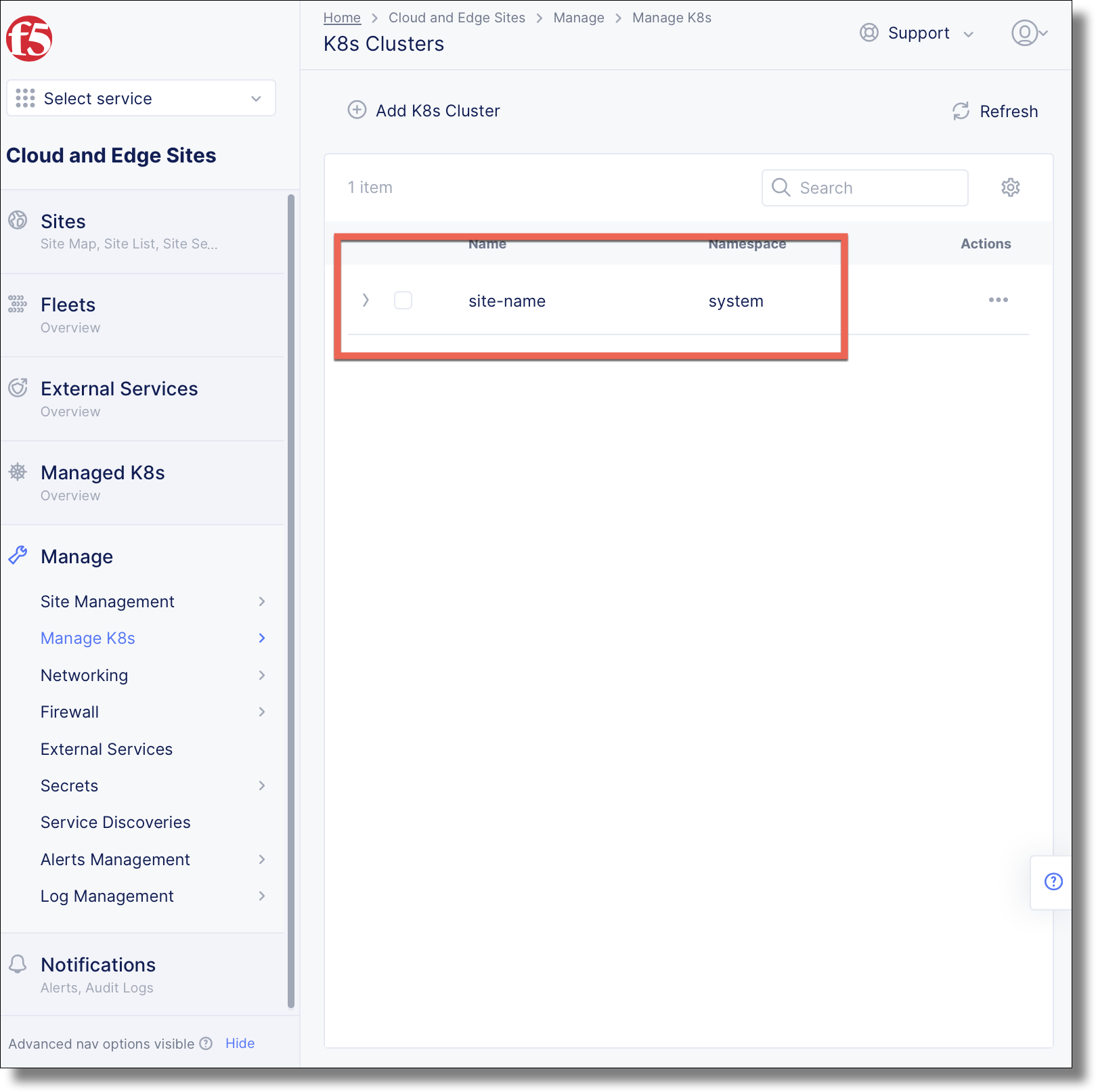
The created K8s cluster appears in the list.
Replace highlighted values in file:
k8s_cluster.json{ "metadata": { "name": "<site-name>", "namespace": "system", "labels": {}, "annotations": {}, "disable": false }, "spec": { "no_local_access": {}, "global_access_enable": {}, "use_default_psp": {}, "use_default_cluster_roles": {}, "use_default_cluster_role_bindings": {}, "cluster_wide_app_list": { "cluster_wide_apps": [ { "argo_cd": { "local_domain": { "local_domain": "localdomain.local", "default_port": {}, "password": { "blindfold_secret_info": { "location": "<removed>" } } } } } ] }, "no_insecure_registries": {}, "cluster_scoped_access_deny": {} } }
Execute the following command to create the k8s cluster object
$ vesctl configuration apply k8s_cluster -i manifests/k8s_cluster.json
Created
View the vesctl output
metadata:
  annotations: {}
  description: ""
  disable: false
  labels: {}
  name: <site-name>
  namespace: system
spec:
  cluster_scoped_access_deny: {}
  cluster_wide_app_list:
    cluster_wide_apps:
    - argo_cd:
        generated_yaml: ""
        local_domain:
          default_port: {}
          local_domain: localdomain.local
          password:
            blindfold_secret_info:
              decryption_provider: ""
              location: string:///AAAAFmY1LXhjLWxhYi1hcHAtanFndWlzZ2kAAAABAAAAAAAAAGUCAAAABQMIQu6zAAABALA3EV+wz43qsex7kSlAz2FSdn8FM1inXCHrRgIbPflBH5xSyEhop2w9eRbXW84MFRblsuR4dpM1YtmmIvEQIuNjaCPIbz3z4GQvvZrcyYarH3x6Ha2OgcmU8FzvHVEoHzqmxqCkqvFcrkfQfdz3wArGUWEmZLjKilBa1TR7ydiZQjkXSGGT4PvTyqjMyHEqdZyDgS51k7nucEWBlHCCRoIoQn/PXmWgDOgQtDFfNYvMr4sfIN9U9gGWbAGNsnKk4XTQAiSdCb0uDEtA20G5oHufvF6zTKdm4S3cUS4+5TbapP52Wzw6DtVbqQ6DYeGzGlakGohFRAtWb8qZCisSfEUAAAEAXvwAtOU3BT5By4tU1+nx6BNNoSmvo7s2WmauVTSmG9mf5l4OKkY5PtwN3ZYtnwdQnHvAGdyedMIBGM+leFZefTHfWZ4VtnFsIZDe6Qe7HyNOmf0ydIcsvMqmQbK/x0Ri801pmAx/rVQMPU3fvJIfttM4pJLszwHYriCreQVdX+31xMqbhqEdGMOZi0LKJMzmWzBwkaLBkZNPJR6sN5YDjCoiw74MgRoMwkScGEdhVCjy7GBUplf8vpbYQSQ1DjcT50Q==
              store_provider: ""
            blindfold_secret_info_internal:
              decryption_provider: ""
              location: string:///AAAABnZlcy1pbwAAAAEAAAAAAA9CRgIAAAAFAxeny5cAAAEA4ZeMZ8dKObTSU4+JQAh2ZMkNJgocAkkMeG2nr/HcyDdWVtH0Z6jspl0o19gWIzI4spO1foFlPKcnQtL2duJ86sSi/OBoL8ydw6WCw7MmRg99ppcSBYWsP5He/kH8dC+l4hTBmtFoJErSDRktd4WiiL39QPIZWjaD3sDdefwQ/iFftFPlUIZBn60bwa6y3sh6TYF+1kpNzxA5d3V0xtZU7E7kpIkWmb+sSiFKZl+h8xmsA9dQoS6QX3/kLFVmAGCmdMKOFnVg0VLetHuRuiBR5ouwvyttIKpGt6gMGyUI+qwNit1lD6UNk2MlJ7oRXkfdNXnxOH7pxLXDxlHwxpHIAwAAAQBqmFX+khHvk+/7TvEE43tyrU8Rb0HkuxLonsLc8nCG0B+zfHip6FxEU4/uDIh7jJG+Gbs/EFi/cjCTGOdFw40OUFLMs3YkCdl+CxLHQWU30Wuq5ILUZ0w4GCvvT5Au6RKRlRXp3Q865harTlc/Fi76w9227inLa8lEYOCY4oNGPrIg9wTNHLBLy0ZyVmbyTgZiTvWZLZLDRE6WhIjbCPxOlC4kJZ/Ni2cUnV+RRwgCr8tugdctSwCJaMmkVEuSvcpUTEvVJB1EgNGdBeCZNXTWb1dcU
              store_provider: ""
            secret_encoding_type: EncodingNone
  global_access_enable: {}
  no_insecure_registries: {}
  no_local_access: {}
  use_default_cluster_role_bindings: {}
  use_default_cluster_roles: {}
  use_default_psp: {}
system_metadata:
  creation_timestamp: "2022-10-08T02:31:41.703393327Z"
  creator_class: prism
  creator_id: email@example.com
  deletion_timestamp: null
  finalizers: []
  initializers: null
  labels: {}
  modification_timestamp: null
  object_index: 0
  owner_view: null
  tenant: <tenant>
  uid: 326990d0-d2e9-436f-8677-8a66f869d1e5
Execute the following command to see the k8s cluster object
$ vesctl configuration list k8s_cluster site-name -n system
+-----------+-----------+--------+
| NAMESPACE |   NAME    | LABELS |
+-----------+-----------+--------+
| system    | site-name | <None> |
+-----------+-----------+--------+
Execute the following command to see the k8s cluster object config in json format
$ vesctl configuration get k8s_cluster site-name -n system --outfmt json