Deploy CE
Using a browser log-in to the CE
https://10.1.1.5:65500
default username: admin
default password: Volterra123
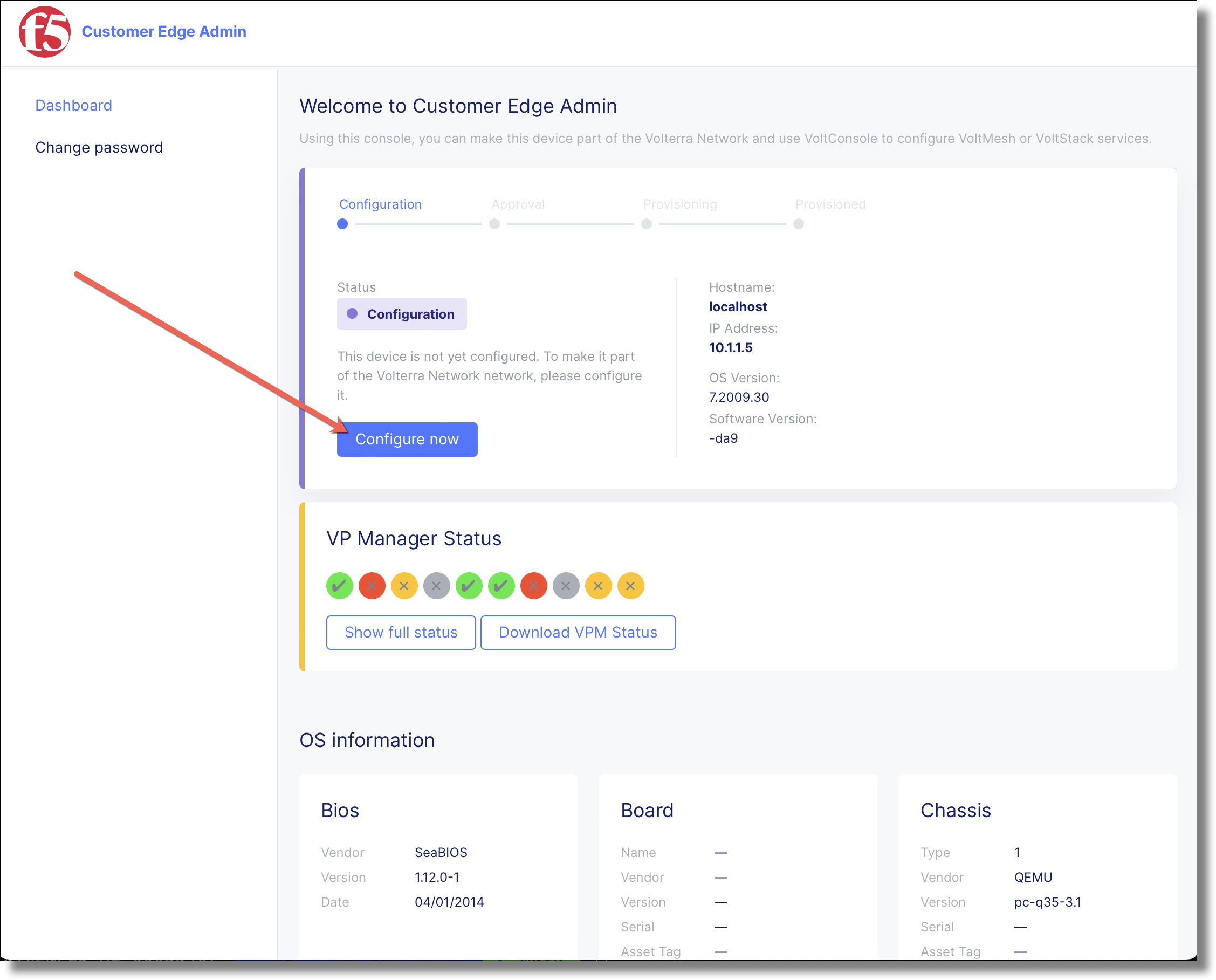
Click Configure Now
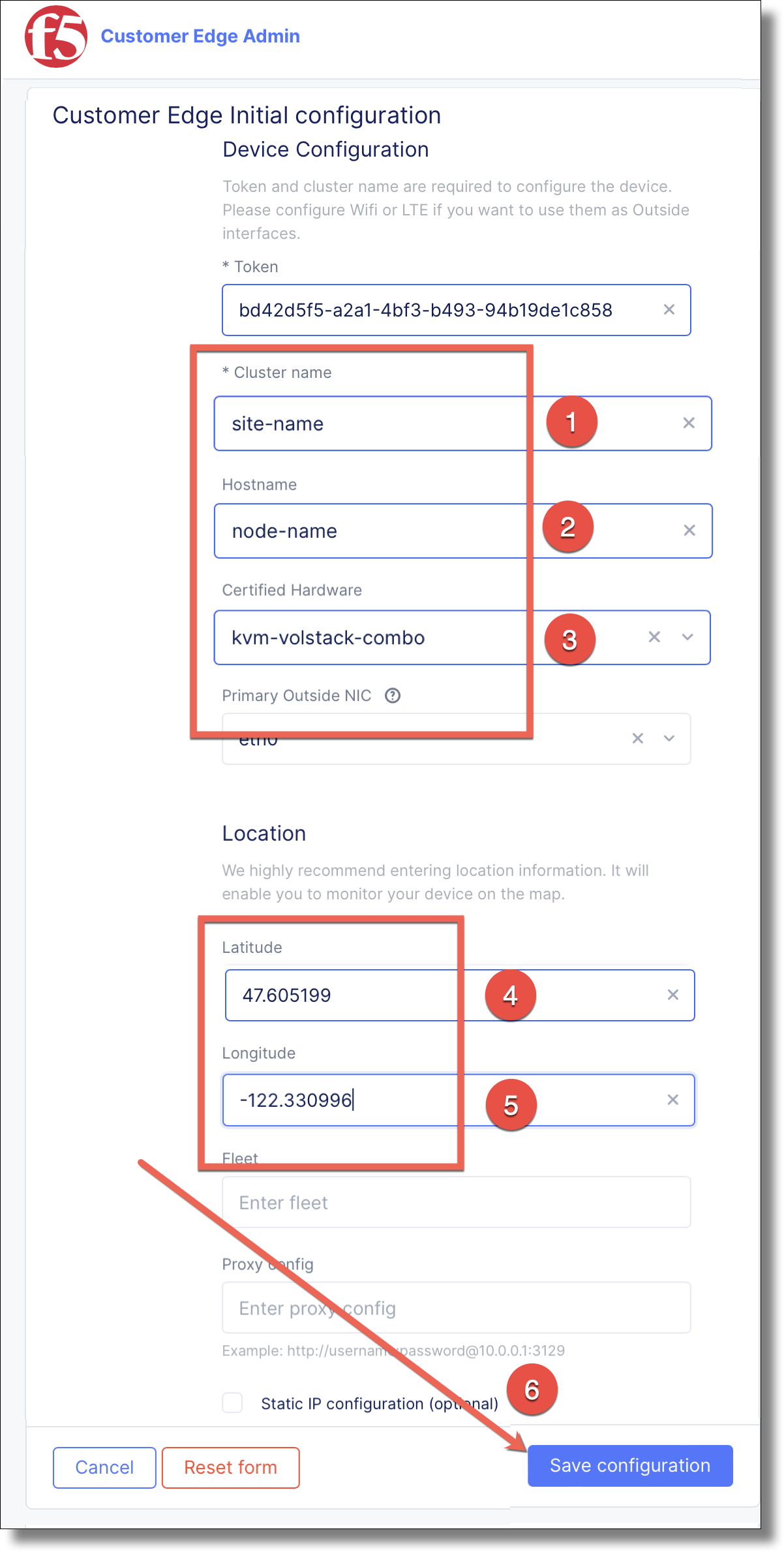
Fill in the form using the following values, and click :bdg-primary`Save configuration`
: Provide the site cluster name
: provide a unique hostname.
: select kvm-voltstack-combo
: provide <47.605199>
: provide <-122.330996>
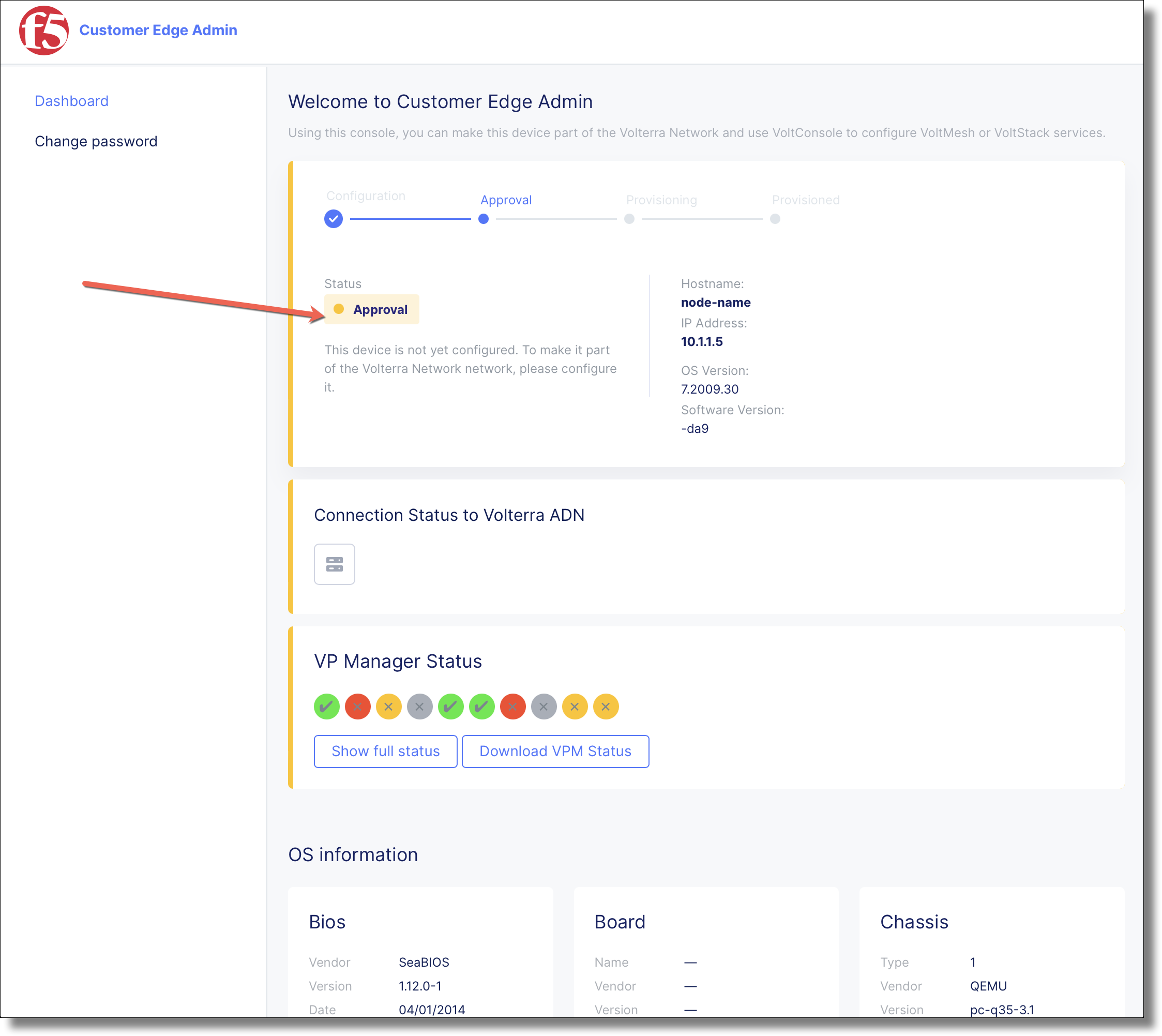
The CE advances to the Approval stage.
SSH or access the console with default username: admin and default password Volterra123
$ ssh admin@10.1.1.5

UNAUTHORIZED ACCESS TO THIS DEVICE IS PROHIBITED
All actions performed on this device are audited
admin@10.1.1.5's password:

|     $$$$$$\  $$\   $$\                $$$$$$\  $$\       $$$$$$\
|     $$  __$$\ \__|  $$ |              $$  __$$\ $$ |      \_$$  _|
|     $$ /  \__|$$\ $$$$$$\    $$$$$$\  $$ /  \__|$$ |        $$ |
|     \$$$$$$\  $$ |\_$$  _|  $$  __$$\ $$ |      $$ |        $$ |
|      \____$$\ $$ |  $$ |    $$$$$$$$ |$$ |      $$ |        $$ |
|     $$\   $$ |$$ |  $$ |$$\ $$   ____|$$ |  $$\ $$ |        $$ |
|     \$$$$$$  |$$ |  \$$$$  |\$$$$$$$\ \$$$$$$  |$$$$$$$$\ $$$$$$\
|      \______/ \__|   \____/  \_______| \______/ \________|\______|
WELCOME IN SITE CLI
This allows to:
- configure registration information
- factory reset of the Node
- collect debug information for support
Use TAB to select various options.
Enter command: configure
Enter token from token link
Enter the <site-name>
Enter the <host-name>
Enter latitude and longitude
Leave fleet name
emptySelect certified hardware: kvm-volstack-combo
$ configure
? What is your token? bd42d5f5-a2a1-4bf3-b493-94b19de1c858
? What is your site name? [optional] site-name
? What is your hostname? [optional] node-name
? What is your latitude? [optional] 47.605199
? What is your longitude? [optional] -122.330996
? What is your default fleet name? [optional]
? Select certified hardware: kvm-volstack-combo
? Select primary outside NIC: eth0
certifiedHardware: kvm-volstack-combo
clusterName: site-name
hostname: node-name
latitude: 47.605198
longitude: -122.33099
primaryOutsideNic: eth0
token: bd42d5f5-a2a1-4bf3-b493-94b19de1c858
? Confirm configuration? Yes
Edit the
ce-register.jsonand change values{ "token": "<token>", "cluster_name": "<site-name>", "hostname": "<node-name>", "latitude": "<latitude>", "longitude": "<longitude>", "certified_hardware": "kvm-voltstack-combo", "primary_outside_nic": "eth0" }
Run the following curl command to remotely configure the CE node.
$ curl -k \
  -u "admin:Volterra123" \
  -H 'Content-Type: application/json' \
  -d @ce-register.json \
  https://10.1.1.5:65500/api/ves.io.vpm/introspect/write/ves.io.vpm.config/update